> booting camila v0.2 … ok
Tell her what you want to build.
Camila is an AI agent for building hardware, and the assistant that runs your workshop. Tell her an idea and she asks the questions you hadn’t thought of, checks which parts you have, picks the board, writes and tests the code, and designs a case ready to print. All that’s left for you is the soldering.


- “Hi Camila, I want to measure the temperature and humidity in the workshop.” “Sure. Will it run on batteries, or will you plug it in?”
- “Camila, do we have any humidity sensors left?” “I checked the shelf. We’re out, but I added one to the shopping list.”
- “Okay, go ahead and print the case.” “I need you to approve that in the chat.”
Camila’s face is an AI-generated image, animated frame by frame on her device.
We’re software developers, not electronics engineers.
A couple of years ago, AI made it possible to build an app over a weekend, and we built a lot of them. Then we started buying ESP32 boards and sensors and hit the same old wall: datasheets, pinouts, code that compiles but won’t run on the real board, and cases that never get made because nobody knows CAD.
So we started building Camila to help us get over that wall. We try everything on her in our own workshop, and we’re filming as we go, mistakes included.
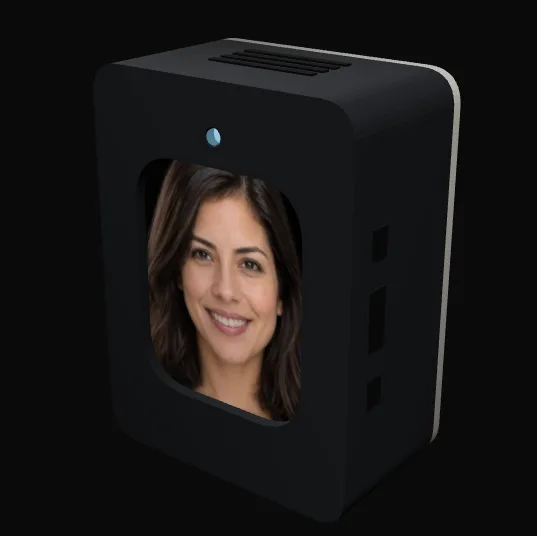
And she runs your workshop, too.
Camila doesn’t just help you build products. She lives in the workshop: she listens, looks when you ask, and knows what every machine is doing. And she uses what she knows to build herself. Every new sense she gains is a project she designed.
Voice
Listens and answers, on her device or on the web.
Vision
Looks at the bench or printer when you ask. Never records.
Sensors
Knows the temperature, humidity and which machines are on.
Test bench
Flashes firmware to real boards and checks that it works.
3D printer
Prepares and prints parts once you approve.
Servers
Keeps everything online and tells you if something fails.
How she grows:
- Spots what she’s missing
- Designs the upgrade
- You assemble it
- Gains a new sense
What happens when you ask her for something
Say you want a small station that measures temperature and humidity in the workshop. This is what Camila does with that, step by step.
She asks questions
She asks the things you hadn’t thought about yet, then writes it all down as a list of requirements. You read it and say yes, or change it.
“Will it run on batteries, or will you plug it in?”
She checks the shelf
She knows what’s in our parts drawers. She tells you what you already have and makes a shopping list for the rest.
“We have three of the four parts. We’re missing a humidity sensor.”
She picks the board and pins
She chooses the ESP32 and decides what goes on each pin, so the wiring drawing and the code say the same thing.
“I’d connect the sensor to pins 8 and 9.”
She writes the code and tests it
She writes the firmware, loads it onto a real board on our test bench, and keeps fixing it until the tests pass. If it only works in theory, it doesn’t count.
“All 12 tests passed on the real board.”
She designs the case
This is where we are. She draws the case in CAD, gets it ready for the printer, and waits for you to say go.
“It takes about 2 h 40 min to print. Should I start?”
She explains how to solder it
Step by step instructions to put it together on a perfboard with a soldering iron.
“Start with the headers. The sensor goes last.”
She hands it all over
The requirements, the code, the wiring, the case file and the instructions, saved together in one project.
“Your station is ready. I saved everything in the project.”
This is what it looks like inside
Real screenshots of Camila’s app. The data is for testing; the app isn’t.
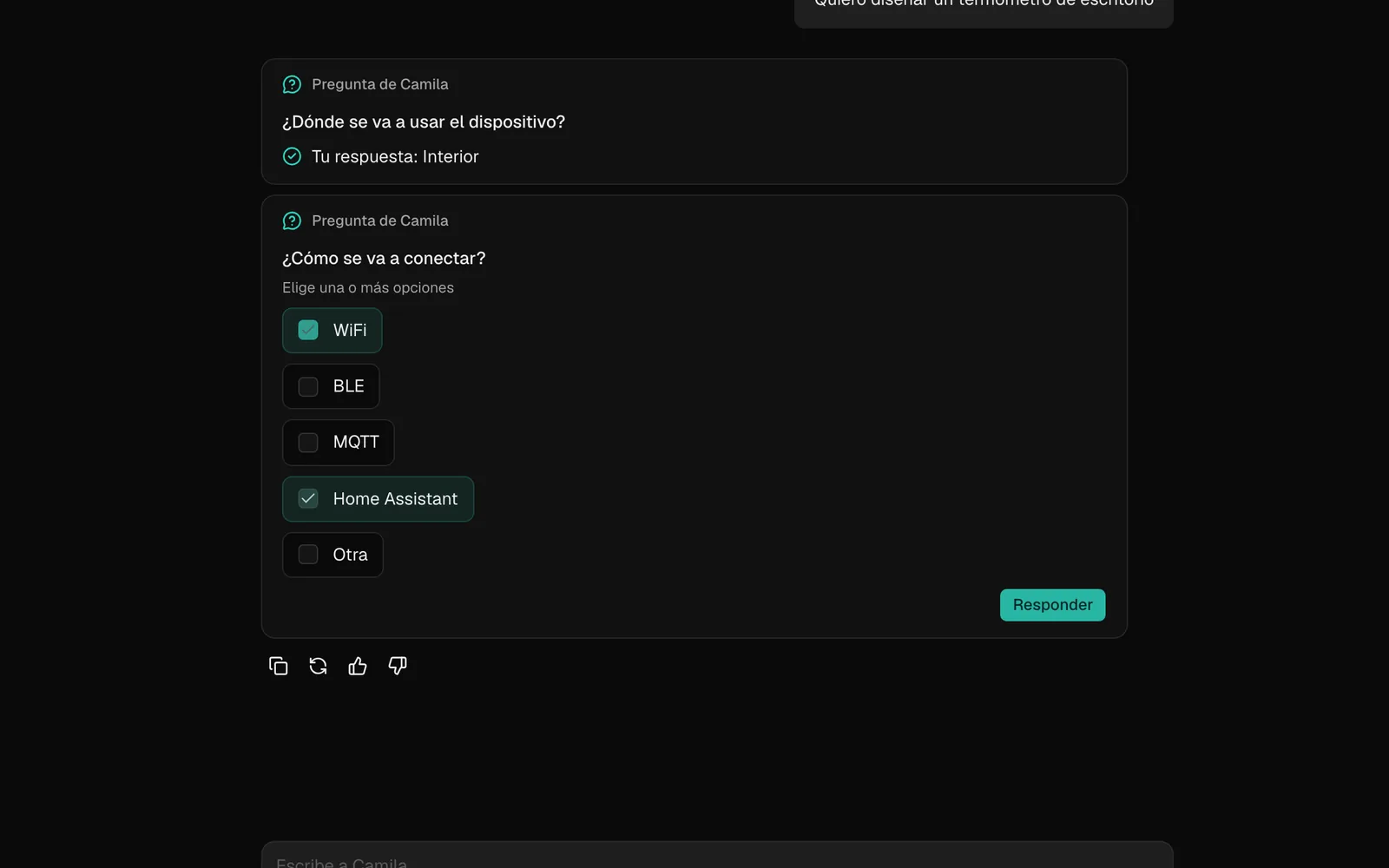
She interviews you with question cards. 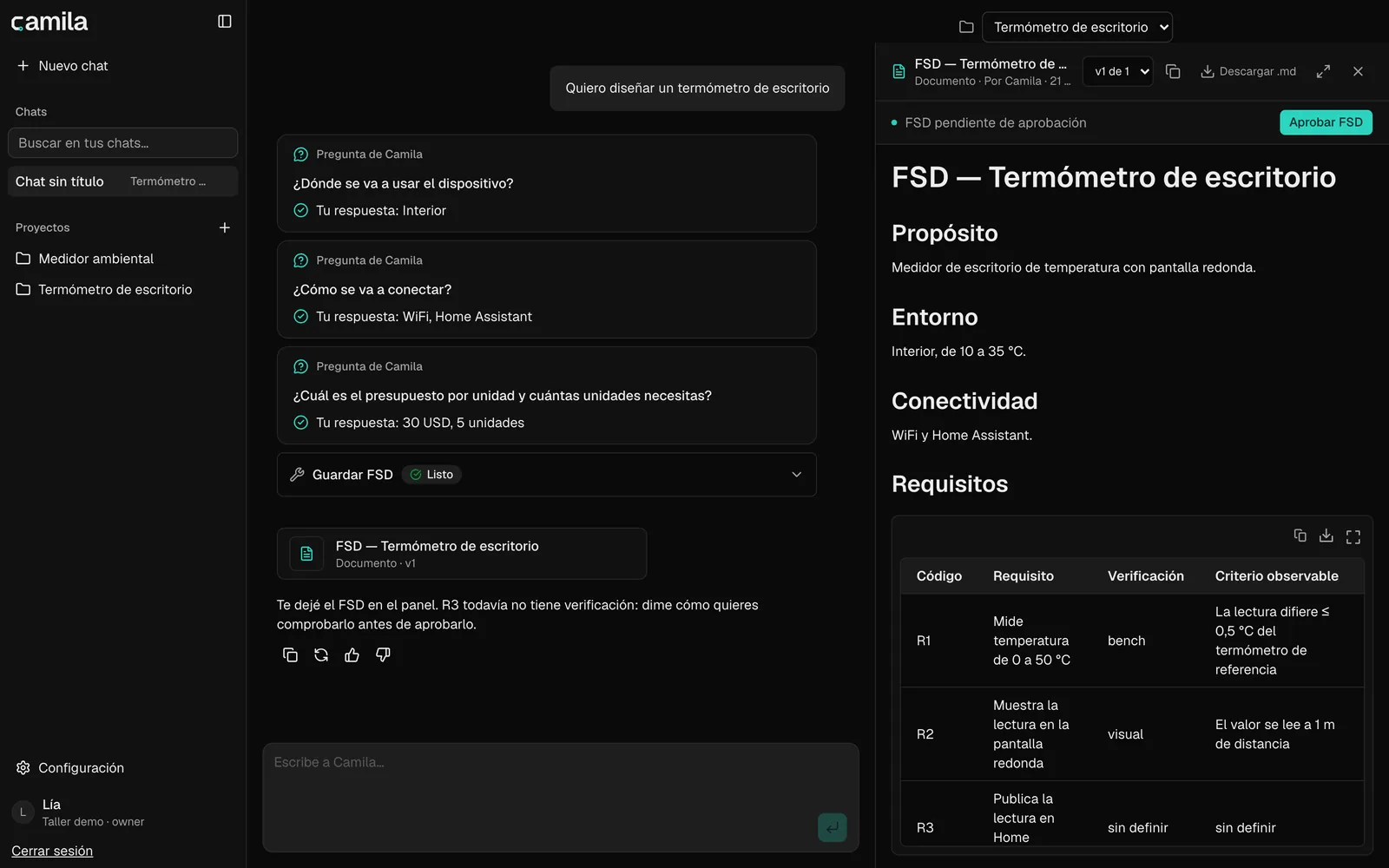
She writes the spec and waits for your OK. 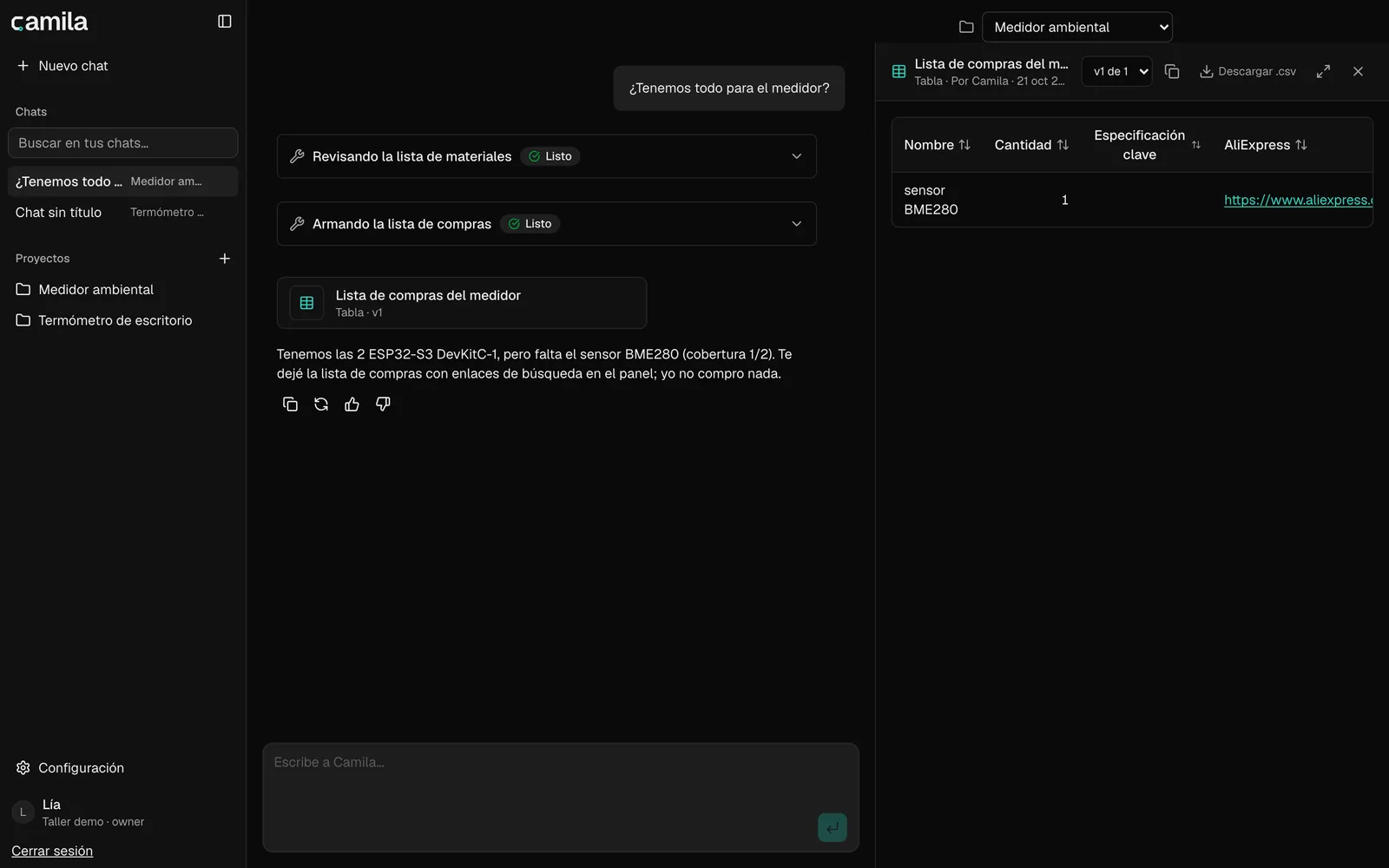
She checks the parts list against the shelf. 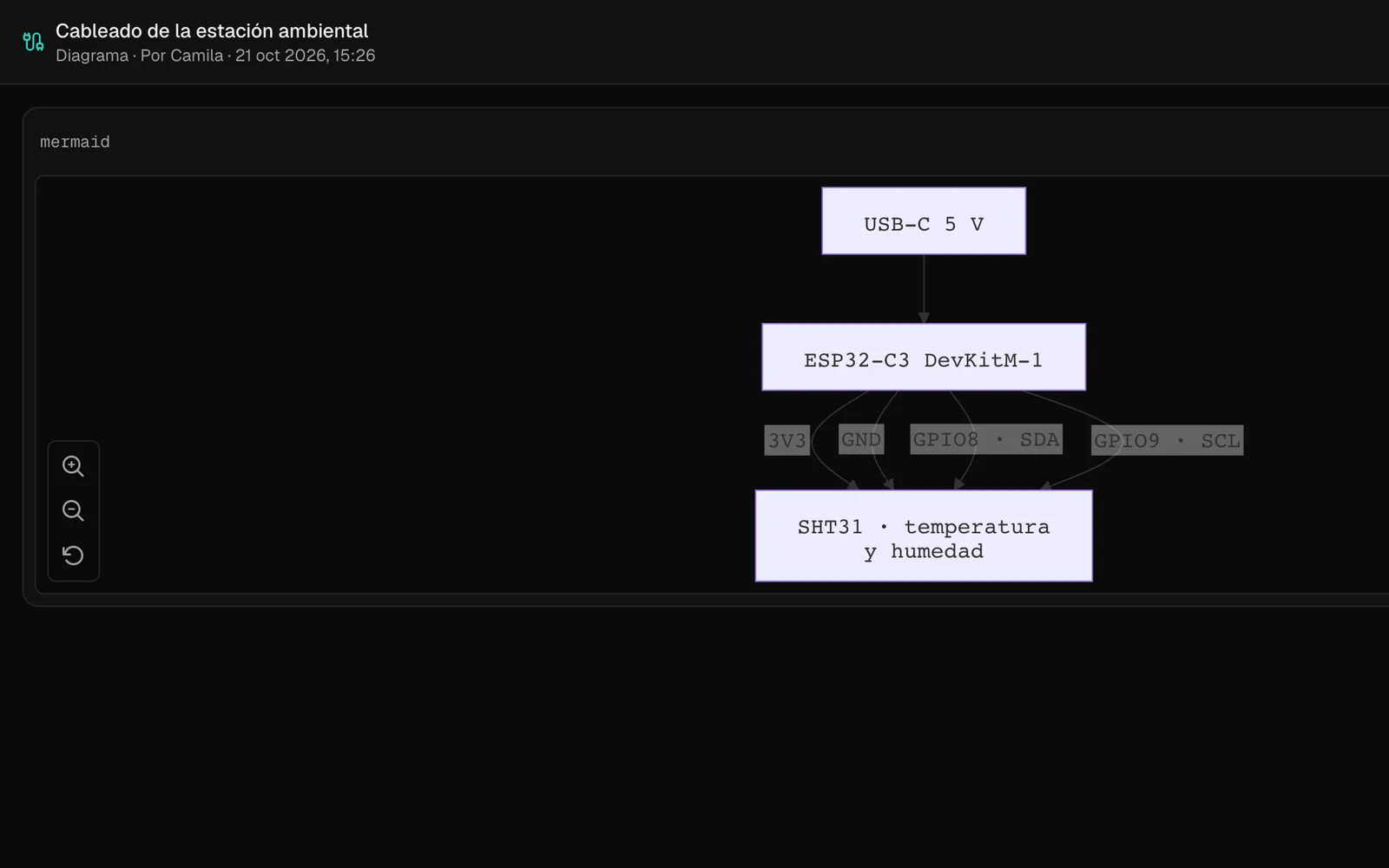
She draws the wiring. 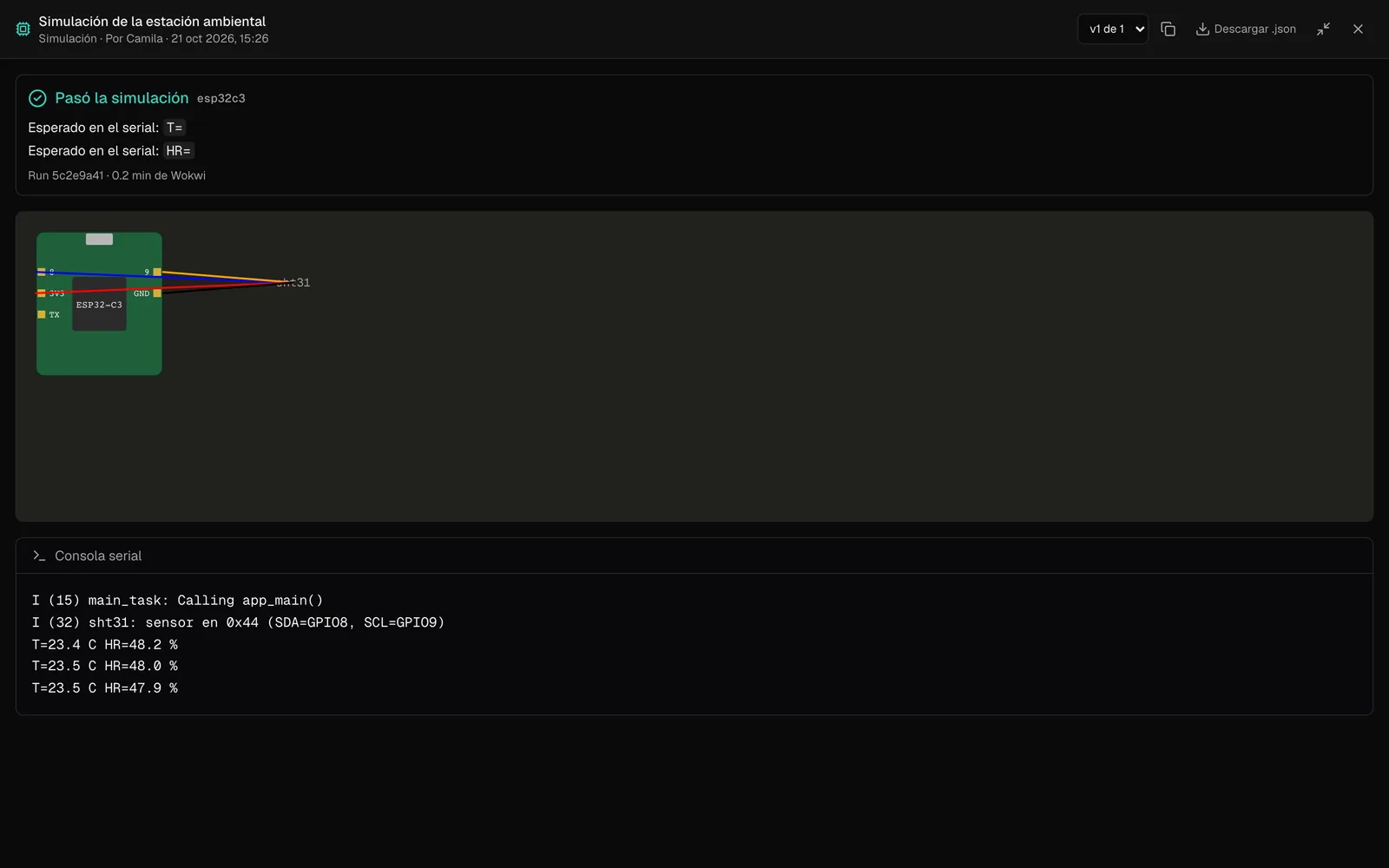
She simulates the firmware before touching a board. 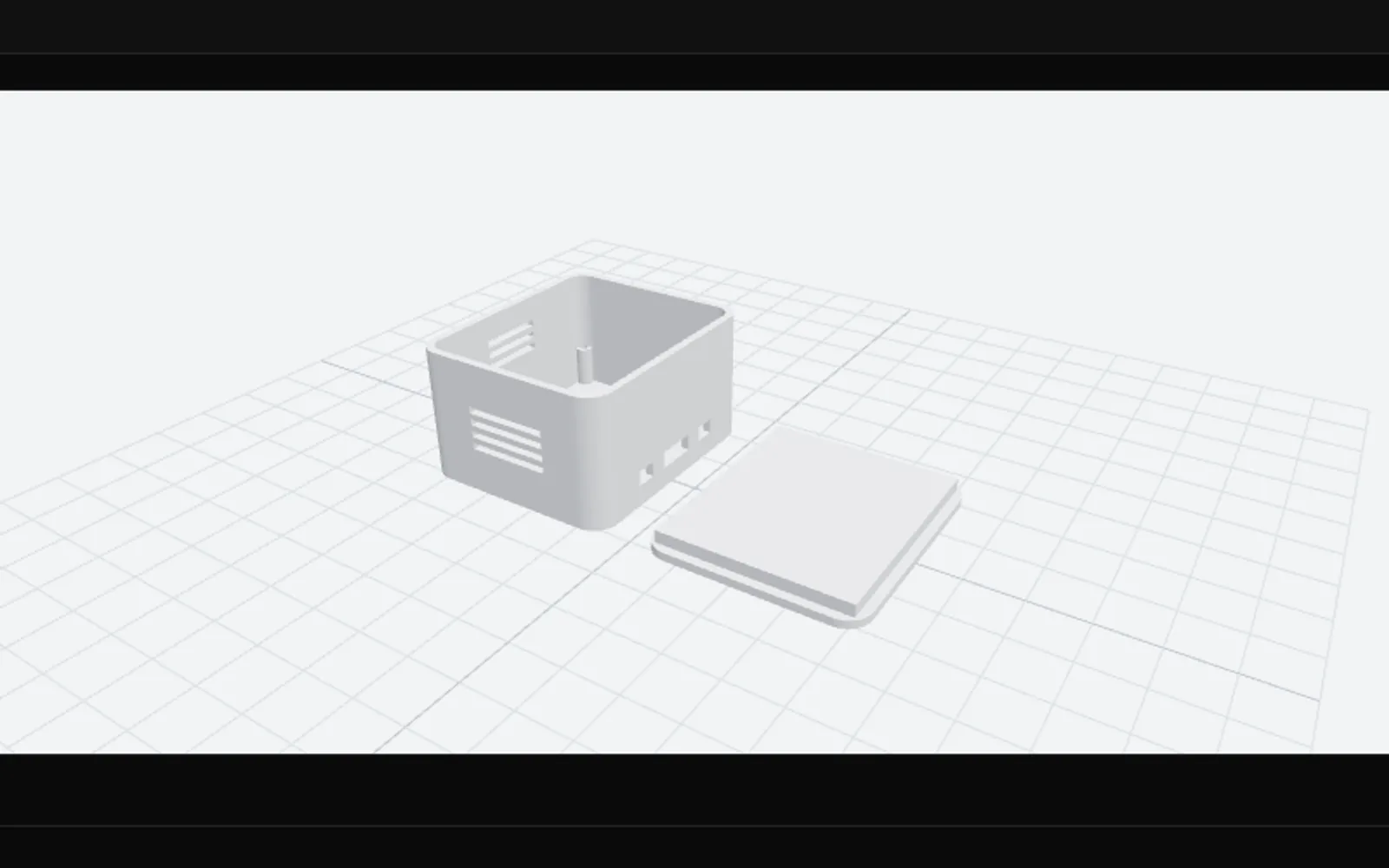
She designs the case and shows you how it turned out. 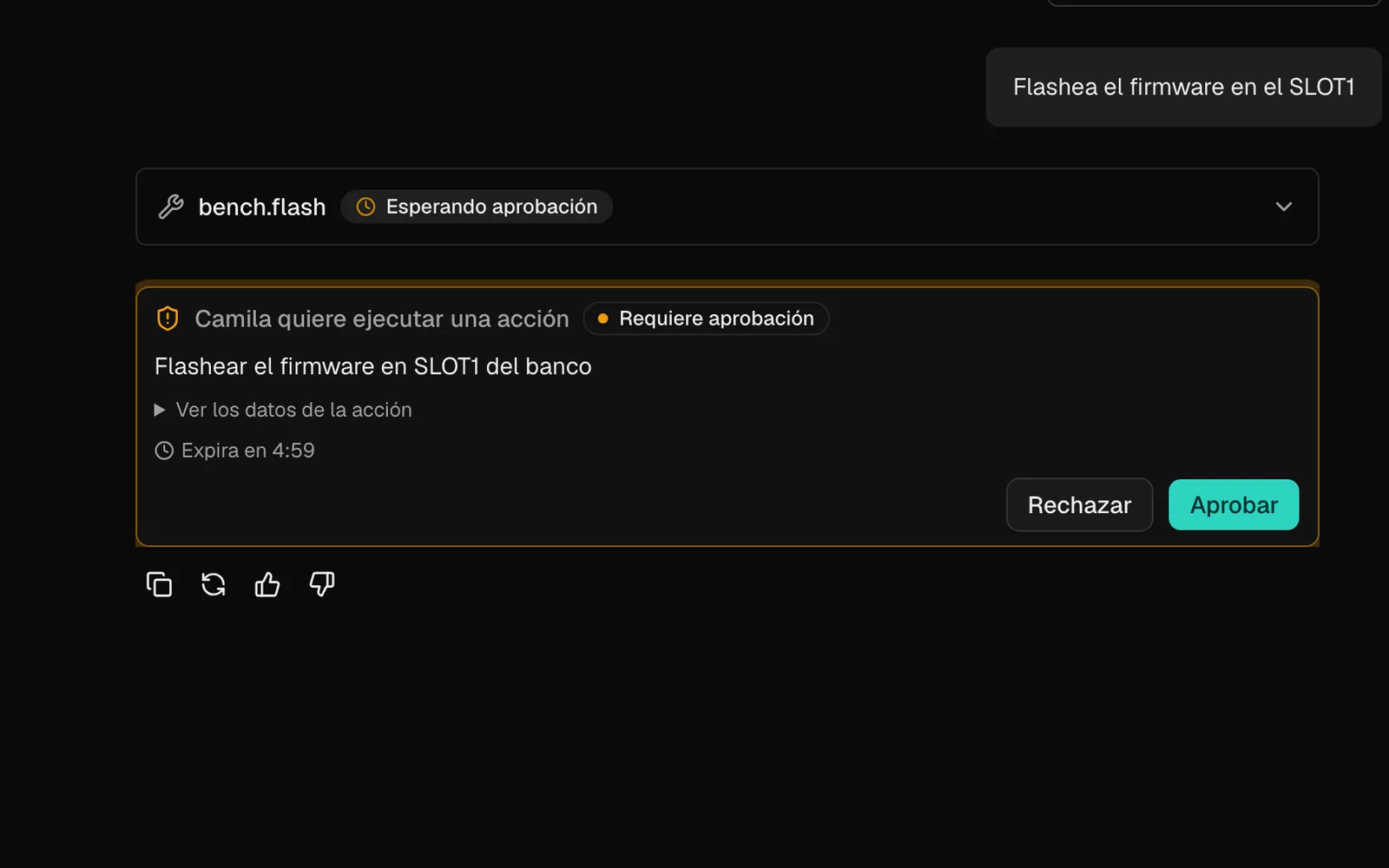
And she asks before doing anything physical.


She doesn’t touch anything without asking.
Some things Camila does on her own, like checking the inventory. Others, like turning on a power supply, wait for one of us to say yes. And some things she simply can’t do, because we never gave her the tool. Turn the dial to see the difference.
Needs a yes
“Turn on the bench power supply.”
She asks first and waits for one of us to approve it on screen or on the device. If nobody answers in 5 minutes, the request expires. If you ask by voice, she says: “I need you to approve that in the chat.”
Where we are
We’re building Camila in stages. A stage is done when she can do the whole thing start to finish and we can record a demo of it.
$ flash camila --all
- E1Chat, memory and inventory84%in progress
- E2Voice, the device and approvals16%in progress
- E3Watching the servers and daily routines0%queued
- E4Programming ESP32 boards on her own85%in progress
- E5Designing and printing cases43%in progress
- E6The whole cycle, plus a desktop app0%queued
A few rules we don’t break
If it’s ugly, it isn’t finished.
Every project ends with a printed case that looks good. No bare boards with wires hanging out.
Code that doesn’t run on a board isn’t done.
Compiling isn’t enough. It has to run on real hardware and pass its tests.
The camera turns on when you ask.
She takes one look when you ask her to. She doesn’t record and she doesn’t watch.
We solder by hand.
Our prototypes are built on perfboard. If you have a soldering iron, you can build them too.
Who’s behind her
We’re a team of three who build AI agents for companies for a living. Camila is the first one we’re building for ourselves.
- Raul CamachoTechnical direction
- Deymara PiñaOperations, co-founder
- Adonay LópezDeveloper lead
Want to help?
We’re applying to programs that support people building with AI and hardware. If you run one, or you just like what we’re doing, this is where your support would go.
Credits for models and compute
So Camila can work on real projects every day, not only when we’re recording a demo.
A second test bench
So we can test on more than one board at a time.
Parts, filament and printer hours
Every project we build gets published, from the first question to the finished case.
Open build logs
So other workshops can copy what works and skip what didn’t.